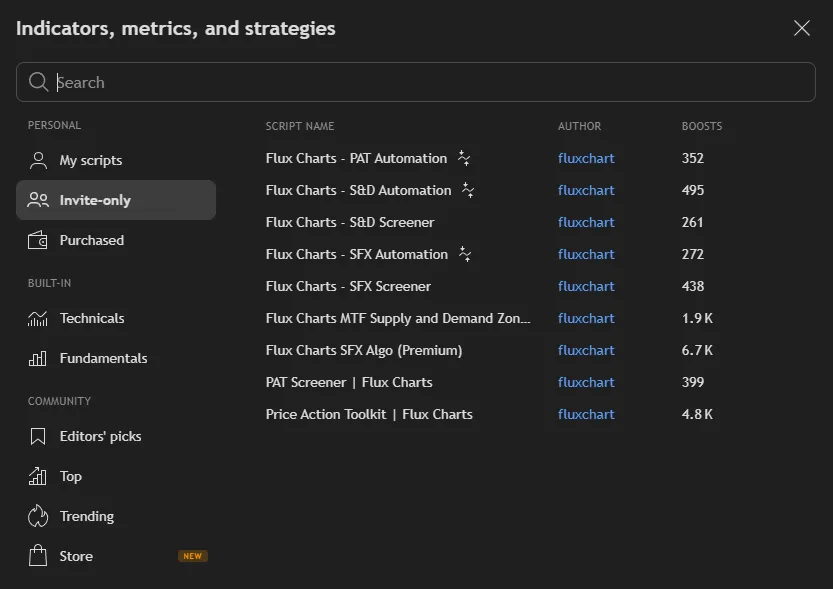
Set Up Flux Charts (Desktop)
Step 1
After subscribing to any Flux Charts plan, go to TradingView and launch any chart.
Step 2
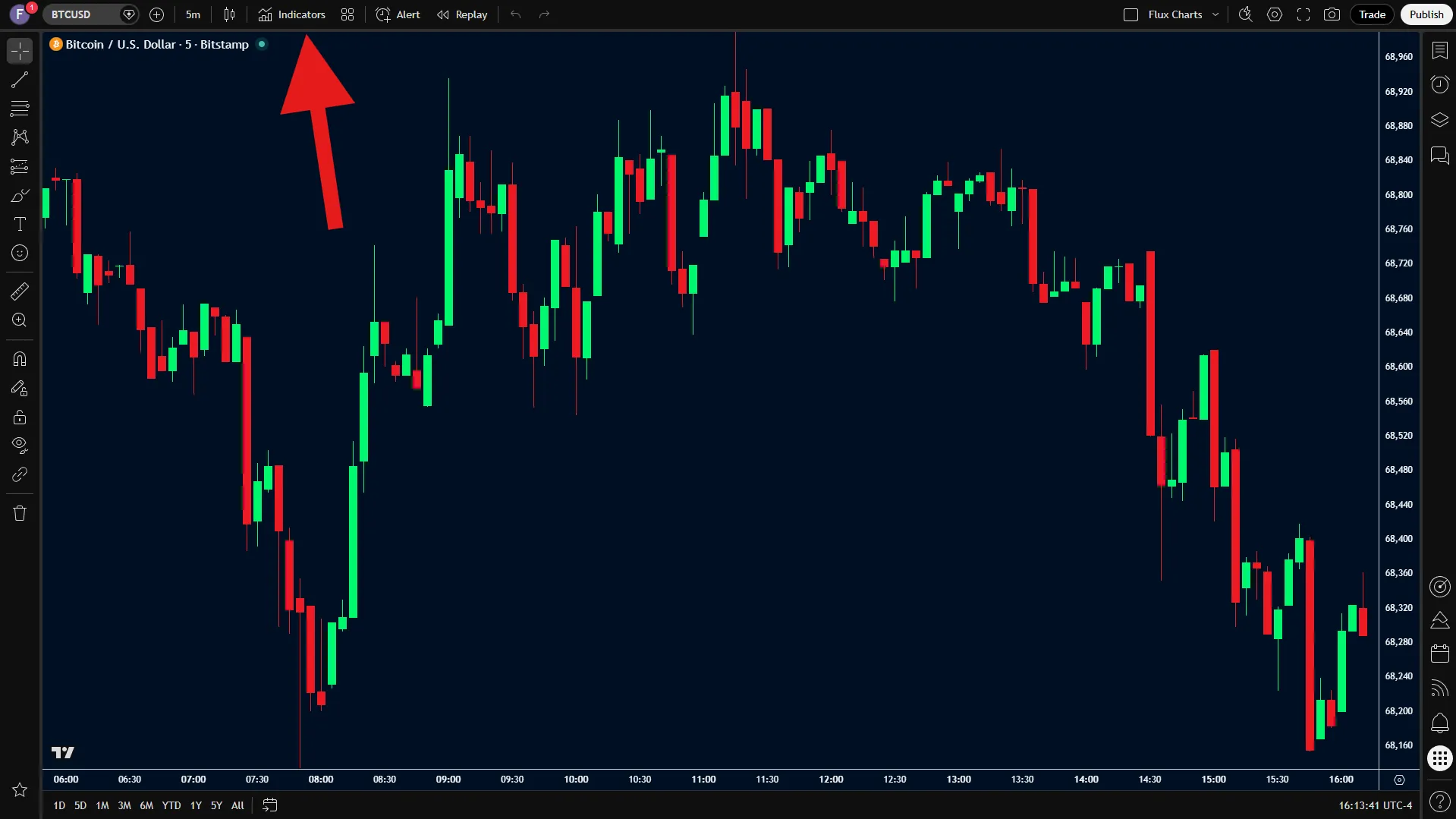
Click the "Indicators" tab.
Step 3
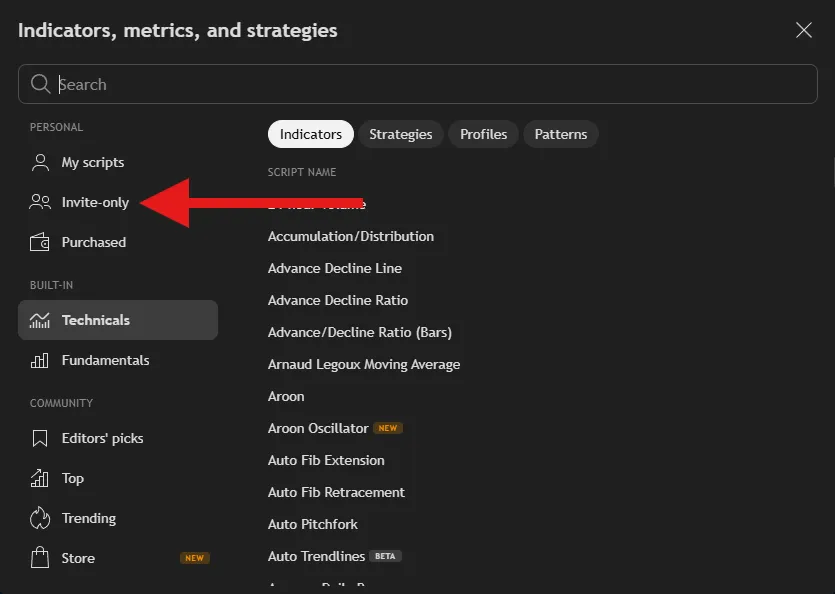
Click the "Invite-only Scripts" section.
Step 4
You now have access to all of the Flux Charts Premium Indicators. To add them to your chart, simply just click the indicator you would like to use. Keep in mind that free TradingView users are only allowed to have a maximum of 3 indicators on their chart at once.